SELFU
Data Deletion Instructions URL
Created on Sep 1, 2021.
SELFU is an online learning platform and we do not save your personal data in our server. But according to the Facebook Platform rules, we have to provide Data Deletion Instructions URL. If you want to delete the connection between SELFU and your facebook, you can remove it by the following instructions.
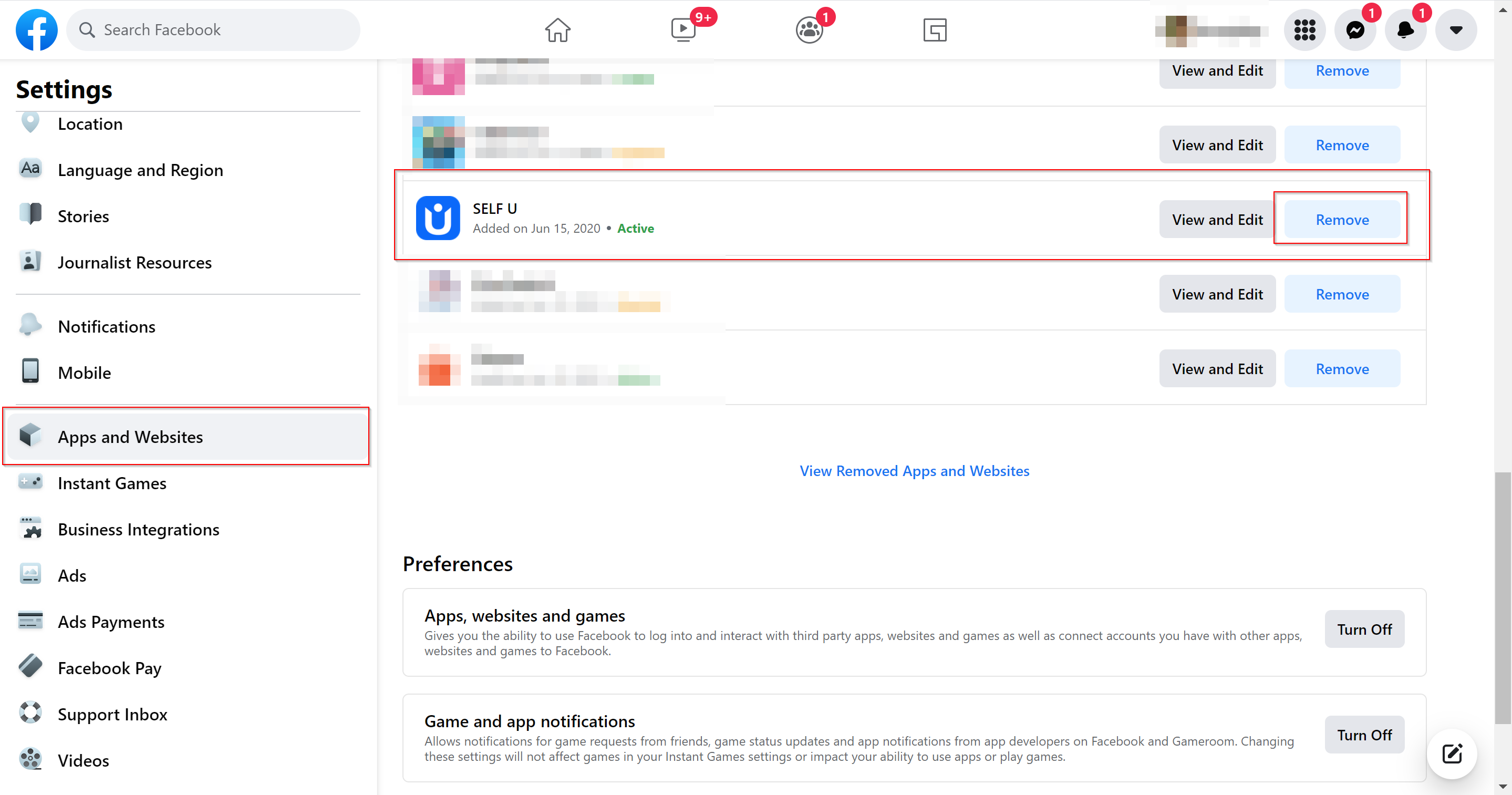
- Go to Your Facebook Account's Setting & Privacy. Click "Setting".
- Then, go to "Apps and Websites" and you will see all of the apps or websites connected to your facebook account.
- Looking for "SELF U", and click the "Remove" button at the right.
-
Click on the "Remove" button to complete the deletion.
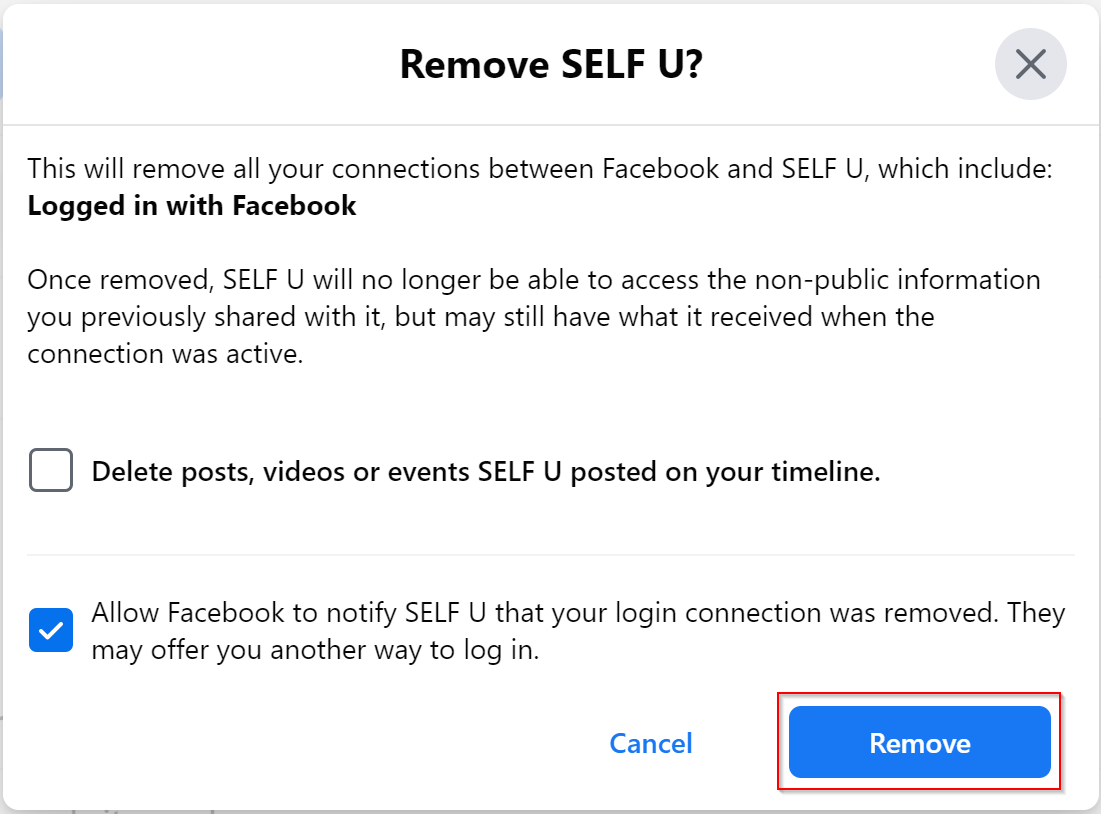
- You have completed the deletion.